

 Korean
  English
  Russian
  French
  German
  Italian
  Spanish
  Polish
  Ukrainian
  Turkish
  Portuguese
  Greek
Greek  Arabic
  Chinese
  Japanese
  Czech
Czech  온라인 데이팅 안전 – 5명의 전문가가 입증한 안전하게 지키는 방법">

Meet first in a visible public place and confirm identity via a live video call before accepting private invitations. Check the profile’s facebook presence and cross-check photos with a reverse-image search – accounts with a single photo and no friends are likely run by a scammer.
Do not share any sensitive data while messaging on the app; it’s okay to keep conversations in-app until you verify. If they push for your phone number, address, or money, that pressure can mean the account is fraudulent – block, report and collect screenshots for evidence.
Disable photo geotags and don’t share live location; especially on grindrs-style platforms where profiles are public and predictable meeting places can be targeted. Plan routes and tell a trusted contact the time and exact spot wherever youre planning to meet.
Read the service’s terms and review companys verification features and two-factor options before using an account for meetups. Use basic technology – reverse-image lookup and timestamp checks – and be sure to save records if verification failed so you can report incidents to platform moderators or local authorities. Small precautions reduce unwanted outcomes and keep more control over the things you share.
Verify profiles with photo consistency and reverse-image search
Run a reverse-image search on every new profile photo before you move the conversation off the app.
Use these five checks with concrete steps and tools:
-
Reverse-image search: save the picture or copy its URL, then check Google Images, TinEye and Yandex – these engines index millions of photos and often reveal duplicates within seconds; note URLs, dates and any matching profiles found and document your finding.
-
Metadata and camera clues: inspect EXIF for camera model, timestamp and GPS with a metadata viewer; check results against the profile text. Be aware that systems like tinder, Instagram and many messaging platforms strip EXIF, so absence of metadata is not proof of authenticity since platforms remove data.
-
Live verification, safely: request a short live clip or a selfie taken with the phone camera that includes a written phrase you provide; creating a one-off clip is faster than scheduling a long call. Never feel forced to share private content and only proceed once the live verification matches the photos and details.
-
Detect synthetic or chatbot-made images: look for repeated faces across accounts, inconsistent lighting or blurred edges – signs of AI or chatbot outputs. If messages push sexual topics immediately or a profile includes multiple stock-like shots, pause and check further; these things might indicate bad intent.
-
Cross-check names and accounts: search the profile name, handle and any unusual surname (for example, Turley) across search engines and social networks; check linked posts, timestamps and mutual contacts. Report suspicious matches to the platform and enable profile protection features; it’s okay to block and stop contact if anything feels off.
If reverse searches or cross-checks reveal matches or contradictions, stop messaging, document the evidence, report the profile and use platform protection; trust your feeling and act promptly. Once verification is satisfactory, you can move forward with more confidence.
Limit personal information: share basics only until trust is established
Only share a first name, general neighborhood (borough/city) and two non-identifying interests until you verify identity via in-app verification or live video; don’t ever share exact travel dates, full address, employer details or daily commute information.
Set a firm boundary: exchange no more than 3–5 messages before a voice or video call; if the person asks to move to SMS, payment apps or private email earlier, stop. Most apps include verification; bumble includes a photo-verification feature – use it but remove any images from a wider photo collection that show workplace badges or children’s faces. If youve already shared sensitive images, delete them and report the account.
Watch behavior for red flags: scammers usually avoid live video, are rushed, create urgency or pop-up emergency stories, and repeatedly asks for personal data. Thousands of reports follow the same pattern. Listen for inconsistencies in spoken details, background noise on video, or claims that sound really rehearsed; if shes evasive or a person keeps creating new excuses, stop the conversation.
Minimize your digital footprint: disable geotags, do not upload full photo collections to profiles, block browser location pop-up prompts and refuse permissions that would let third parties track you. Only enable location-sharing on your own device and only after you meet in a public place; once you meet, tell a friend where you’re going and keep arrival times simple.
Keep conversations low-risk: discuss hobbies, books, local restaurants or video preferences and avoid topics that involve finances, children, exact routines or unique work projects. A good idea if you want to meet: pick a daytime public spot, tell one person your plan and train yourself to pause and verify any claim you can’t check later.
Utilize in-app safety features: enable blocking, reporting, and privacy controls
Enable blocking and reporting in the app’s settings now: hide distance, disable profile discovery, revoke camera permissions, and turn off automatic media downloads so unknown files cannot save to your device.
When you report, provide time-stamped screenshots, message IDs and profile links; include location pins or shared files as evidence – apps keep internal logs and an источник (source) record that can be requested from support or law enforcement, then exported if needed.
If a person makes sexual demands or pressures you, block first and report second; do not delete the conversation because investigators and trusted contacts will want the original thread, and theres a higher chance the platform will act when you give clear, documented proof.
Use built-in verification and response systems: enable photo verification, set emergency contacts, activate any “share ETA” or meet-up scheduling tool, and let a family member or friend know meeting times – since they can look after your wellbeing and will be aware around the scheduled time.
Prefer in-app messaging instead of sharing personal channels; trust signals include verified badge, limited profile fields and recent activity – if someone wont respect boundaries or feels likely to escalate, block, report and move on rather than continuing the conversation themselves.
Prepare a safe first meetup: public venue, daytime hours, and a friend on standby
Meet at a busy public venue between 10:00 and 16:00, tell a friend the address and expected end time, and arrange a friend on standby who can call if you dont check in.
Concrete steps
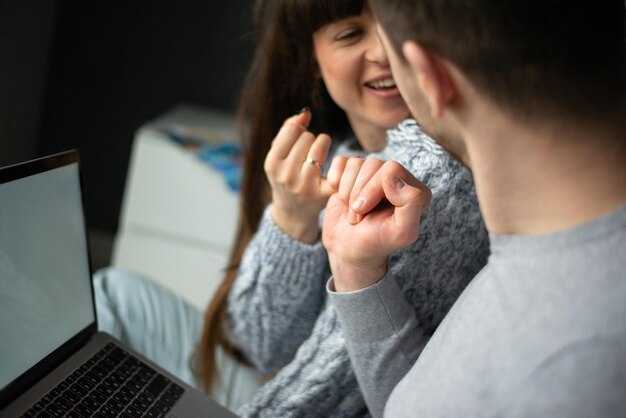
Verify pictures with a reverse-image search and require a short live video or a timestamped clip before you travel; ask a few non-intrusive personal questions in writing and on the call to confirm consistency between messages and live responses – patterns that read like a chatbot suggest a fake account.
Go separately, use your own transport, and never move to a private location on the first meet; if someone asks for your home or work address you wont provide it. If the other person offers to drive you, stop the meeting and leave, then report suspicious behaviour to customer support for that platform.
Set specific check-in steps: share live location using your phone, agree a 30–45 minute first duration, and schedule one automatic check-in. Most first meets last under 90 minutes; fully plan an exit route and a backup plan to get home safely, although plans can change – keep your friend informed.
Red flags and verification
Cross-check account details across a selection of platforms and ask for a brief video if accounts look incomplete; according to basic verification rules, inconsistent writing, mismatched pictures, or sudden declarations of love are red flags. If conversation starts to feel scripted or someone pressures you to give financial or overly personal data, stop contact, block them, and escalate to customer channels. Using small, measurable steps to verify someone reduces risk and lets you meet confidently.
Spot red flags early: inconsistent stories, pressure to move off-platform, or secrecy
Request real-time images or a short video within the first three exchanges; if the person refuses, claims camera trouble, or asks you to leave and move to private media, stop and verify on a channel that works wherever you are.
Quick checks
Check the same face across profile photos and linked accounts – reverse-image searches often show if a picture was found on unrelated sites or used by millions here. A great icebreakers request is to ask them to provide a specific gesture or hold up today’s date; youre asking for proof, not private data. If you were matched and then introduced to a separate chat, treat the switch like a sign and request verification before continuing.
This is important: if they request your number or present pop-up requests for money, turn the conversation off. theres also telling behavior – inconsistent details when you ask follow-up questions, refusal to ever video-call, or claims they are under a time constraint and declarations of love within hours. Know you deserve verification, so consider saving screenshots, checking the service policy for contact rules, and reporting suspicious profiles found; small checks within minutes reduce risk and help you know where the problem started.
 긍정적 사고가 신체와 정신에 가져다주는 이점 – 건강, 기분, 그리고 회복 탄력성 향상">
 5가지 현명하게 데이트하는 방법 – 더 나은 매치를 위한 실용 가이드">
 8가지 정서적 성숙의 징후 – 개인적 성장의 핵심 지표">
 대부분 간과하는 주말에 가장 행복한 관계들이 하는 일">
 거짓 기억의 인지 및 신경 메커니즘 – 오정보, 왜곡, 그리고 오류 정형화">
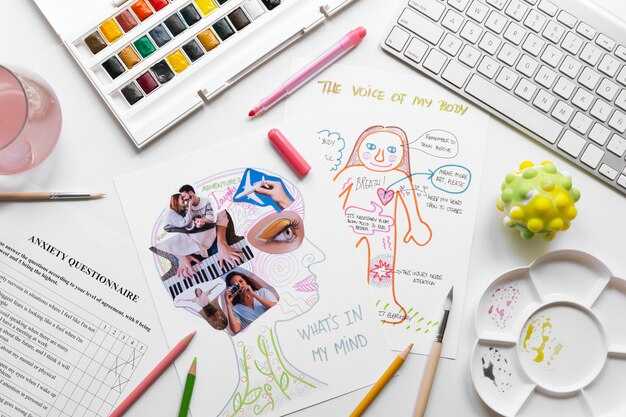 ESTJ 성격 유형, 인지 기능, 특징 – 종합 가이드">
 가슴에 새기는 물건 – 추억을 소중히 하고 물건은 잊으세요
가슴 저미는 물건들은 단순한 소유물이 아닙니다. 그들은 과거의 중요한 순간과 관련된 감정, 기억, 관계의 물리적 표현입니다. 이러한 품목을 소중히 여기는 것은 우리 정체성을 형성하고, 우리 삶에 의미와 맥락을 가져다주며, 우리와 사랑하는 사람들을 연결해 줍니다.
하지만 때로는 이러한 물건들이 짐이 될 수 있습니다. 집을 어지럽히고, 우리의 마음을 짓누르며, 과거에 얽매이게 만듭니다. 그러니 어떻게 추억을 소중히 하면서 물건은 잊을 수 있을까요?
다음은 몇 가지 팁입니다.
* **물건에 부여하는 감정적인 의미를 파악하세요.** 물건이 왜 중요합니까? 어떤 기억과 감정을 불러일으킵니까? 물건에 부여하는 의미를 이해하면, 그 의미를 다른 방법으로 보존하기가 더 쉽습니다.
* **물건에 대한 감정적 짐을 덜어내세요.** 물건을 소유하거나 보관하는 데서 오는 스트레스를 떨쳐내세요. 물건에서 어떤 의미를 얻을 수 있는지, 그리고 그 의미를 다른 데서 찾을 수 있는지 자신에게 물어보세요.
* **물건은 단순히 추억의 촉매제일 뿐임을 기억하세요.** 물건 자체가 추억이 아니라는 것입니다. 그건 그냥 기억을 떠올리게 할 뿐입니다. 추억은 우리의 마음과 마음속에 살아 있습니다.
* **물건을 떠나보내세요.** 여전히 물건을 버리기 어렵다면, 사진을 찍어두거나, 일기장에 기록하거나, 다른 사람에게 주어보세요.
물건을 떠나보내는 것은 쉽지 않을 수 있지만, 추억을 소중히 하면서 삶을 더 가볍고 의도적으로 만들 수 있는 중요한 방법입니다.">
가슴에 새기는 물건 – 추억을 소중히 하고 물건은 잊으세요
가슴 저미는 물건들은 단순한 소유물이 아닙니다. 그들은 과거의 중요한 순간과 관련된 감정, 기억, 관계의 물리적 표현입니다. 이러한 품목을 소중히 여기는 것은 우리 정체성을 형성하고, 우리 삶에 의미와 맥락을 가져다주며, 우리와 사랑하는 사람들을 연결해 줍니다.
하지만 때로는 이러한 물건들이 짐이 될 수 있습니다. 집을 어지럽히고, 우리의 마음을 짓누르며, 과거에 얽매이게 만듭니다. 그러니 어떻게 추억을 소중히 하면서 물건은 잊을 수 있을까요?
다음은 몇 가지 팁입니다.
* **물건에 부여하는 감정적인 의미를 파악하세요.** 물건이 왜 중요합니까? 어떤 기억과 감정을 불러일으킵니까? 물건에 부여하는 의미를 이해하면, 그 의미를 다른 방법으로 보존하기가 더 쉽습니다.
* **물건에 대한 감정적 짐을 덜어내세요.** 물건을 소유하거나 보관하는 데서 오는 스트레스를 떨쳐내세요. 물건에서 어떤 의미를 얻을 수 있는지, 그리고 그 의미를 다른 데서 찾을 수 있는지 자신에게 물어보세요.
* **물건은 단순히 추억의 촉매제일 뿐임을 기억하세요.** 물건 자체가 추억이 아니라는 것입니다. 그건 그냥 기억을 떠올리게 할 뿐입니다. 추억은 우리의 마음과 마음속에 살아 있습니다.
* **물건을 떠나보내세요.** 여전히 물건을 버리기 어렵다면, 사진을 찍어두거나, 일기장에 기록하거나, 다른 사람에게 주어보세요.
물건을 떠나보내는 것은 쉽지 않을 수 있지만, 추억을 소중히 하면서 삶을 더 가볍고 의도적으로 만들 수 있는 중요한 방법입니다.">
 10가지 방법: 헤어지는 동안 찌질거리지 않고 대처하는 법">
 파트너가 자신에게 공간이 필요하다고 말할 때 무엇을 해야 할까
파트너가 갑자기 "혼자 있고 싶어." 또는 "어떻게 해야 할지 모르겠어."라고 말한다면 당황스러울 수 있습니다. 그것은 심리적, 정서적 거리 두기를 시사하는 일반적인 신호이며, 이는 관계에서 해로운 결과를 초래할 수 있습니다. 하지만 공황 상태에 빠지기 전에 상황이 개선될 수 있는지 확인하기 위해 노력할 가치가 있는지 알아보세요.
**그들은 왜 공간이 필요할까?**
파트너가 공간이 필요한 이유는 여러 가지가 있습니다. 다음과 같은 몇 가지 일반적인 이유는 다음과 같습니다.
* **번아웃:** 일, 가족 또는 기타 스트레스 요인으로 인해 과도하게 스트레스를 받고 있다는 의미일 수 있습니다.
* **자기 발견:** 그들은 자신을 더 잘 이해하고 자신의 아이덴티티를 구축하는 데 시간을 보내려는 것일 수 있습니다.
* **개인적인 문제:** 그들은 해결을 위해 혼자 시간을 보내야 하는 개인적인 문제에 직면하고 있을 수 있습니다.
* **관계 문제:** 그들은 관계에서 무엇이 잘못되었는지 생각하는 데 시간을 보내야 할 수 있습니다.
* **단순히 휴식:** 때로는 아무런 이유 없이 휴식을 취하고 싶을 뿐입니다.
**어떻게 해야 할까?**
파트너가 공간이 필요하다고 말하면 그것을 존중하는 것이 중요합니다. 다음은 취할 수 있는 몇 가지 단계입니다.
* **대화:** 파트너에게 공간(space)이 필요한 이유를 물어보세요. 경청하고 판단하지 마세요.
* **그들의 요청을 존중하세요:** 그들에게 얼마나 많은 공간이 필요한지, 그리고 얼마나 오랫동안 필요한지 알아내고 그들의 요청을 존중하세요.
* **연락을 줄이세요:** 그들이 의사소통할 필요가 없는 한 연락을 줄이세요.
* **자신에게 집중하세요:** 파트너에게 그들은 당신에게 공간이 필요한 동안 자신에게 집중하세요.
* **인내심을 가지세요:** 파트너가 공간(space)을 갖는 데 시간이 걸릴 수 있습니다. 인내심을 갖고, 그들이 무엇을 하고 있는지 이해하려고 노력하세요.
**무엇을 해서는 안 될까?**
파트너가 공간이 필요하다고 말하면 다음 사항을 피하는 것이 중요합니다.
* **요청을 무시하지 마세요:** 이 요구사항은 중요합니다.
* **그들을 질주시키려고 하지 마세요:** 그들에게 다시 연결할 준비가 될 때까지 기다리세요.
* **지저분해지거나 애원하지 마세요:** 이것은 상황을 악화시킬 뿐입니다.
* **감정을 개인적으로 받아들이지 마세요:** 그들이 당신이 싫다는 것이 아니라 자신에게 공간이 필요한 것일 뿐일 수 있습니다.
파트너가 자신에게 공간이 필요하다고 말하는 것은 어려울 수 있지만, 상호 관계를 강화하기 위한 기회가 될 수도 있습니다. 상황을 존중하고, 자신에게 집중하고, 인내심을 가지면 파트너가 다시 연결할 준비가 되었을 때 더욱 강력한 관계를 가질 수 있습니다.">
파트너가 자신에게 공간이 필요하다고 말할 때 무엇을 해야 할까
파트너가 갑자기 "혼자 있고 싶어." 또는 "어떻게 해야 할지 모르겠어."라고 말한다면 당황스러울 수 있습니다. 그것은 심리적, 정서적 거리 두기를 시사하는 일반적인 신호이며, 이는 관계에서 해로운 결과를 초래할 수 있습니다. 하지만 공황 상태에 빠지기 전에 상황이 개선될 수 있는지 확인하기 위해 노력할 가치가 있는지 알아보세요.
**그들은 왜 공간이 필요할까?**
파트너가 공간이 필요한 이유는 여러 가지가 있습니다. 다음과 같은 몇 가지 일반적인 이유는 다음과 같습니다.
* **번아웃:** 일, 가족 또는 기타 스트레스 요인으로 인해 과도하게 스트레스를 받고 있다는 의미일 수 있습니다.
* **자기 발견:** 그들은 자신을 더 잘 이해하고 자신의 아이덴티티를 구축하는 데 시간을 보내려는 것일 수 있습니다.
* **개인적인 문제:** 그들은 해결을 위해 혼자 시간을 보내야 하는 개인적인 문제에 직면하고 있을 수 있습니다.
* **관계 문제:** 그들은 관계에서 무엇이 잘못되었는지 생각하는 데 시간을 보내야 할 수 있습니다.
* **단순히 휴식:** 때로는 아무런 이유 없이 휴식을 취하고 싶을 뿐입니다.
**어떻게 해야 할까?**
파트너가 공간이 필요하다고 말하면 그것을 존중하는 것이 중요합니다. 다음은 취할 수 있는 몇 가지 단계입니다.
* **대화:** 파트너에게 공간(space)이 필요한 이유를 물어보세요. 경청하고 판단하지 마세요.
* **그들의 요청을 존중하세요:** 그들에게 얼마나 많은 공간이 필요한지, 그리고 얼마나 오랫동안 필요한지 알아내고 그들의 요청을 존중하세요.
* **연락을 줄이세요:** 그들이 의사소통할 필요가 없는 한 연락을 줄이세요.
* **자신에게 집중하세요:** 파트너에게 그들은 당신에게 공간이 필요한 동안 자신에게 집중하세요.
* **인내심을 가지세요:** 파트너가 공간(space)을 갖는 데 시간이 걸릴 수 있습니다. 인내심을 갖고, 그들이 무엇을 하고 있는지 이해하려고 노력하세요.
**무엇을 해서는 안 될까?**
파트너가 공간이 필요하다고 말하면 다음 사항을 피하는 것이 중요합니다.
* **요청을 무시하지 마세요:** 이 요구사항은 중요합니다.
* **그들을 질주시키려고 하지 마세요:** 그들에게 다시 연결할 준비가 될 때까지 기다리세요.
* **지저분해지거나 애원하지 마세요:** 이것은 상황을 악화시킬 뿐입니다.
* **감정을 개인적으로 받아들이지 마세요:** 그들이 당신이 싫다는 것이 아니라 자신에게 공간이 필요한 것일 뿐일 수 있습니다.
파트너가 자신에게 공간이 필요하다고 말하는 것은 어려울 수 있지만, 상호 관계를 강화하기 위한 기회가 될 수도 있습니다. 상황을 존중하고, 자신에게 집중하고, 인내심을 가지면 파트너가 다시 연결할 준비가 되었을 때 더욱 강력한 관계를 가질 수 있습니다.">
 엄격한 사랑 주기 – 경계와 책임감">


