

 Italian
  English
  Russian
  French
  German
  Spanish
  Polish
  Ukrainian
  Turkish
  Portuguese
  Greek
Greek  Arabic
  Korean
  Chinese
  Japanese
  Czech
Czech  One Task at a Time – Single-Tasking Benefits Explained for Better Focus & Productivity">

Begin your day with a single 90-minute focus block dedicated to your highest-impact work. Close unrelated tabs, set phone to Do Not Disturb, pour coffee before you sit, and set a visible timer. Break that block into clear steps (one planning step, two execution steps, one review step) so you leave with a concrete deliverable instead of a half-done list.
Use intentional grouping: batch emails, meetings and minor admin into a single low-cognition session rather than scattering them. Grouping similar tasks into one window cuts context switches; using a single task list and labeling items by cognitive load helps you decide whether to apply a 90-minute block or a short 25-minute sprint. Reserve audiobooks for commutes or active breaks, not for focused blocks.
When you feel barraged by notifications, apply two rules: auto-reply for deep blocks and a single-channel policy for urgent alerts. The opposite of multitasking is clear sequencing–handle one item to completion before the next. Track interruptions for one week to spot patterns: a stark number of brief disturbances often causes far more lost time than a long, uninterrupted session. Add short mobility exercises between blocks to reduce fatigue and keep your work healthier and more sustainable.
Measure and tweak weekly. Log deep-focus minutes and count fully completed tasks rather than hours spent. Aim for either two 90-minute deep blocks or three to four 25-minute sprints per day depending on role and energy. Some teams find much faster progress after three weeks of this routine; small, consistent steps from data collection and minor adjustments will compound into long-term gains, helping you convert scattered effort into reliable output.
Quantifying single-tasking benefits for daily work
Reserve three focused blocks daily: two 75–90 minute high-impact sessions and one 25–45 minute short session; set a timer (90/15 or 25/5), block social apps with software, and log outcomes in a journal.
Research and workplace tests estimate that an interruption typically costs about 23 minutes to regain full focus, and switching tasks inflates completion time by roughly 20–30%. In practical trials, teams using disciplined single-tasking recorded 15–30% faster delivery on priority tasks and a 10–25% drop in error rates versus split attention days.
Divide your work into three buckets: high-impact, routine, and admin. Prioritization should pin exactly one high-impact task to each deep block. Use a short-timer routine for quick items and a long-timer routine for complex work; this practice stabilizes throughput and reduces distraction spikes.
Track metrics weekly in a simple journal or lightweight software: total focused minutes, number of context switches, and completed high-impact items. Heres a useful KPI: focus ratio = focused minutes / total scheduled work minutes. Aim for a realistic focus ratio ≥ 0.6; if your ratio sits near 0.4, cut meetings or social-check windows until it rises.
Some people see immediate morale gains when they protect relationships and lives from constant pings: designate 30–60 minute social-check windows outside deep blocks and communicate those slots to colleagues and family. That small boundary reduces reactive replies and preserves uninterrupted attention.
Apply these steps daily: schedule blocks the night before, use software to mute notifications, start each block with a one-line journal entry of the target, and close with a brief outcome note. This powerful, repeatable routine quantifies gains, helps you prioritize realistically, and lets you measure how single-tasking improves both output and relationships over time.
Calculate minutes lost per task switch and convert to lost output
Measure lost minutes per switch: use this formula–Lost_minutes_per_switch = resume_time_after_interruption (minutes). Use 2 minutes for trivial screen checks, 15 minutes for routine context switches, and 23 minutes for deep work that demands full concentration and flow. Pick the value that matches the task depth; youll refine it with tracking.
Daily lost minutes: Lost_minutes_day = switches_day × Lost_minutes_per_switch. Example: 10 deep-work switches × 15 min = 150 min lost. On a 480-minute (8-hour) workday that equals 150/480 = 31.25% of your day wasted on switching, not productive output.
Convert to lost output: if your team normally completes 8 deliverables/day, multiply by the productive fraction: Productive_fraction = (available_minutes – Lost_minutes_day)/available_minutes. Example: (480−150)/480 = 0.6875, so 8 × 0.6875 = 5.5 deliverables completed; lost output = 8 − 5.5 = 2.5 deliverables.
Quick calculator you can use: Lost_hours_day = Lost_minutes_day / 60; %Lost = Lost_minutes_day / available_minutes × 100; Lost_tasks = Baseline_tasks × %Lost. Heres a sample: 20 switches × 23 min = 460 min → 460/480 = 95.8% lost → impossible to meet baseline output.
Track real numbers first: record switches and the time you actually resume task for two workdays. This gives your personal resume_time and prevents relying on generic assumptions. That first measurement feeds management decisions and helps leaders set realistic expectations for their teams.
Reduce the cost with specific techniques: block communications into outside windows, schedule active deep-work blocks of 60–90 minutes, mute the screen and phone during blocks, and batch similar tasks by combining small related items so your brains stay in one context. Pomodoro is an option for short tasks; for complex work, use longer uninterrupted blocks.
How to implement quickly: 1) count switches for two days, 2) calculate lost minutes, 3) set two daily blocks where notifications are off, 4) ask your leader to protect those blocks for the team. Keeping a simple routine before each block primes concentration and reduces reorientation time.
Avoid multitask traps: multitask reduces performance and increases the frequency of costly switches. If teams reduce switches by 50%, output increases dramatically because less time goes to reorientation. Further reduce waste by coaching on focused techniques and by assigning single-task ownership for priority work.
Quick self-tests to measure your typical uninterrupted attention span
Time a single, low-stakes task for 10 minutes right now: silence phone, close tabs, set a visible timer, and stop when your focus breaks; record the uninterrupted minutes – this gives an immediate baseline you can use daily.
Three short tests you can run in one morning: 1) Baseline sprint – 5 minutes on a simple task to detect immediate distractions; 2) Pomodoro-style – 25 minutes for sustained focus; 3) Endurance check – 50 minutes to test recovery and stamina. Use the same task type across tests so results stay similar and comparable.
Use a simple tracking template as a table in a notebook or notes app: Date | Start time | Task | Timer set (min) | Uninterrupted (min) | Interruptions (#) | Interrupt cause | Notes. Track five sessions per test and compute median uninterrupted minutes and interruptions per hour for a clear metric.
Include a start-stop option for realistic work: when interrupted, note the interruption time and restart the timer; after five start-stop cycles calculate the average uninterrupted stretch and the average recovery time until full focus returns. That average shows your typical attention cycle more accurately than single runs.
Score ranges to interpret results: <5 minutes = "low" (frequent context switching), 5–15 = "moderate" (short bursts, room to improve), 15–45 = "positive" (good baseline for deeper tasks),>45 = strong (suitable for complex work). Use these cutoffs as practical signals, not rigid rules.
Concrete practices to improve measured spans: block notifications, use a visible countdown, set a single explicit micro-goal per session, practice morning sessions when alertness is higher, and reward yourself after uninterrupted runs. These solutions have been explored across workplace experiments and learning labs with consistent behavioral gains.
For tracking metrics, log median uninterrupted time, longest run, interruptions per hour, and average recovery time; chart weekly changes to spot steady improvements or constant regressions. People who follow this tracking show clearer progress because data drives adjustments.
When analyzing causes, cover categories: internal thought intrusions, external alerts, environment, and unclear goals. Contrarily to the belief that willpower alone fixes distraction, building small environmental and habit changes yields bigger, longer-lasting gains in focus.
Design an experiment over two weeks: run three tests each morning for the first week, apply one new solution (e.g., single-tab browser or full Do Not Disturb) the second week, then compare medians. That controlled approach makes the effect of a single practice clear and gives an innovative, evidence-based path for learning what works for you.
If you find <5 minutes and think improvement is impossible, switch to micro-practices: four 3–5 minute focused bursts with 2-minute breaks, then gradually extend work intervals by 2–5 minutes per day. Building this habit and keeping consistent tracking converts brief attention into sustained capacity over weeks.
How to track quality changes when focusing on one task
Establish a numerical baseline: record defect rate, time-per-item, and customer or stakeholder rating for the task over two weeks or 30+ samples; this gives a measurable reference to compare after you switch to single-tasking.
- Define 3 core metrics and their units: defect rate (%) per 100 items, cycle time (minutes per item), and acceptance rate (%) in review or QA. Use these consistently so you can trend results.
- Collect data in short, repeatable sessions: measure at the end of each morning work block and once more in the afternoon for the first two weeks to capture variance tied to timing and fatigue.
- Use simple charts: a p‑chart for defect rate, moving average for cycle time, and a bar chart for acceptance rate. Plot weekly aggregates to smooth day-to-day noise.
Apply quick statistical checks: require a minimum effect size of 10% relative change sustained for four consecutive weeks with p < 0.05 (two‑sample t for cycle time, two‑proportion z for defect/acceptance). If sample sizes remain small, use CUSUM to detect smaller shifts without inflating false alarms.
- Instrument collection: use a lightweight tracker (spreadsheet, JIRA fields, or time-tracker) where you tag entries “single-tasking” so youve a clear filter for analysis.
- Control distractions: limit media processing to two scheduled 20-minute blocks per day; keeping notifications off during focused blocks reduces false variation caused by task switching.
- Run weekly quality meetings: 15-minute reviews with your manager and team to cover metric trends, blocked items, and key root causes. seibert-style checklists (3 quick questions) speed those meetings and keep them practical.
- Document changes: log any process changes, tool updates, or shifting deadlines because they can create discontinuities in your metrics. If they occur, annotate the charts so everyone understands the context.
Make decisions from the data: if defect rate drops from 5% to 3% and cycle time improves by 12% over six weeks, count that as a real improvement; if metrics fluctuate, dont assume single-tasking failed–investigate process noise, sample size, or external pressures like tightened deadlines.
- Behavioral checks: single-tasking requires habit adjustments. Keep a daily checklist for the first 4 weeks that records start time, number of interruptions, and estimated focus minutes. That practice strengthens habits and ties subjective experience to objective change.
- Team alignment: communicate targets to the team so they know what to measure and why. They will already see fewer context switches in meetings and handoffs when single-tasking works.
- Long-term tracking: archive weekly summaries for 6 months to detect regression or seasonality; quality gains often appear slowly but persist when supported by proper routines and reduced multitasking.
Quick rules to follow: dont compare non-equivalent samples, always state sample size with percentage changes, and review metrics with your manager and team at regular checkpoints. There will be short-term variability; systematic measurement and keeping records let you prove that single-tasking produces great, measurable results over time.
Using simple metrics to decide when to keep tasks separate

Keep tasks separate when measurable costs cross clear thresholds: switching time over 2 minutes, error rate increases by more than 5%, or interruptions rise above 3 per hour.
Measure three values during a typical work session: average switch time (use a timer on your screen), error or rework rate, and subjective focus drain on a 1–10 scale. They reveal whether a series of mini-tasks or a continuous block suits your work style.
| Metric | Threshold (keep separate) | Recommended action | esempi |
|---|---|---|---|
| Switch time | > 2 minutes | Group similar tasks into single blocks | Email ↔ Coding: separate |
| Error rate | +5% vs single-task baseline | Isolate the task until errors minimized | Data entry mistakes |
| Interruptions/hr | > 3 | Schedule focus blocks, mute notifications | Chat messages during analysis |
| Perceived drain (1–10) | > 6 | Shorten session length or separate tasks | Creative writing after meetings |
Use continuous measurement for 3–5 days rather than one sample. A february test of this routine often shows that productivity increases when similar tasks are batched and context switches are minimized. Track baseline performance for a week, then implement one change and compare.
Avoid the myth that multitasking boosts output: switching creates cognitive overhead, disrupting flow and dramatically raising time-to-complete. When you are barraged with notifications on a small screen, the cost compounds and problems multiply.
Practical steps: set two-hour blocks for deep tasks, reserve 30–45 minute blocks for administrative items, and apply strict prioritization for morning work. Create rules like “no email during coding” or “one browser tab per project” to keep context switches low.
Examples that work: hold a morning block for writing, an afternoon block for meetings, and a short series of 20-minute slots for routine tasks. Master one habit at a time so disruption is minimized and performance increases steadily.
Practical routines to make single-tasking your default
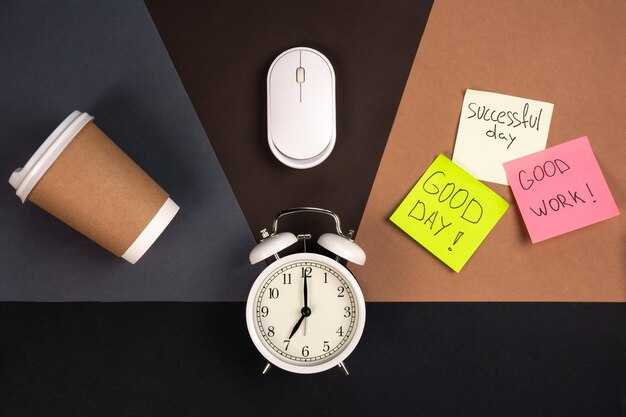
Reserve three 60-minute focus blocks per workday and treat them as non-negotiable meetings: put them on your calendar, set status to Do Not Disturb, and check messages only during scheduled breaks to prevent ad-hoc interruptions.
Use two techniques: a 25/5 Pomodoro for quick tasks and 60-minute deep sessions for complex projects. Track outcomes for one week and expect decreased context switches by about 20–40%; most people save 30–60 minutes daily, which results in more tasks done with less start-up effort between items.
Designate a single area for focused work, close social media and other media tabs, mute notifications, and place a visible sign that signals ‘Do Not Disturb’ to colleagues. If talking with someone, finish or schedule the conversation so you can enjoy uninterrupted attention; treat quick clarifications as 3–5 minute mini-tasks and schedule longer discussions so they don’t break your thread, then ask them to join a calendar invite.
Create a simple triage: three things per block–one cognitive task, one shallow task, one follow-up. Both morning and afternoon rituals work: review the list for two minutes before starting, then mark tasks as done at the end of the block. That small ritual reduces decision fatigue and makes completing daily goals easily and sustainable.
Limit multitasking by handling one thread at a time and make it clear there are metrics (focus length, response lag, tasks completed). Run a 15-minute demo about why single-tasking is necessary and how it helps save collective time. Try a 30-day trial beginning in october; popular teams adopt within a week and you will maximize deep work time–the improvement is worth the initial effort.
 Getting Bored in a Relationship? What to Do & How to Reconnect">
 Lack of Respect in a Relationship – Signs, Causes & What to Do">
 Everyone’s Splurging on Lip Balms – Is It the Lipstick Effect?">
 Inner Self – How to Discover, Heal & Connect Within">
 When Self-Deprecating Humor Becomes Detrimental – Signs, Risks & Solutions">
 How to Say No – 6 Ways for People-Pleasers to Reclaim Your Life">
 Overcoming Loneliness in a Relationship – 7 Practical Tips">
 Facing Your Fears – Practical Steps to Build Confidence">
 Honeymoon Phase to Lasting Love – How to Transition">
 How to Make a Conversation Interesting – 8 Actionable Tips">


